Set your filters
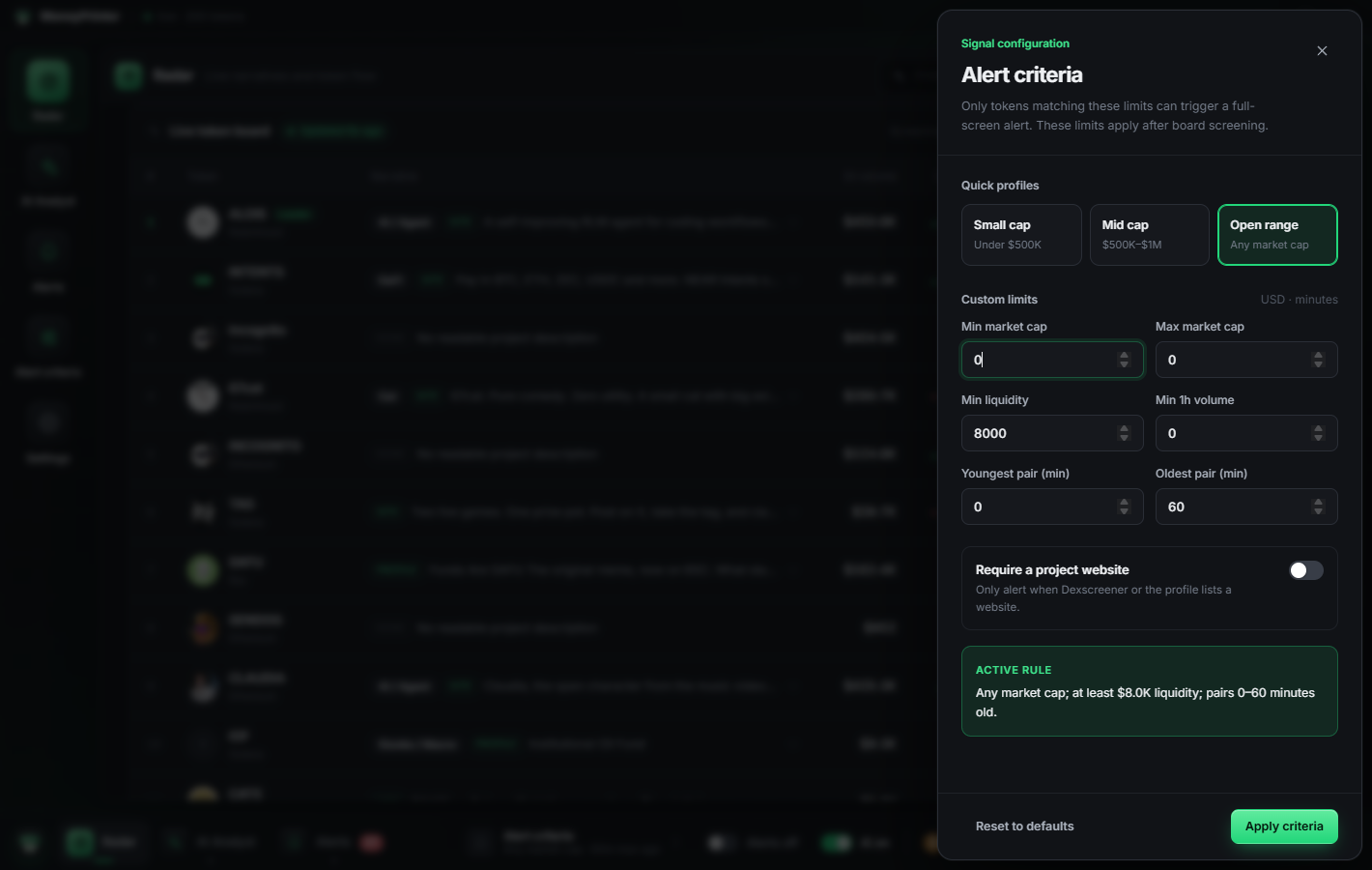
Market-cap range, minimum liquidity, 1h volume, pair age, website required. Pick a quick profile like Small cap or dial in exact numbers.
You're watching videos. You're three hours into a game. Meanwhile the next 50x launches and you find out tomorrow. MoneyPrinter.exe watches every chain for you and prints the tokens that match your filters straight onto your screen — the moment they appear.
Free for Windows 10 / 11 · Mac or Linux?
Big runners don't wait for you to check a chart. MoneyPrinter.exe runs in the background and only interrupts you when something actually matches what you're looking for.
Market-cap range, minimum liquidity, 1h volume, pair age, website required. Pick a quick profile like Small cap or dial in exact numbers.
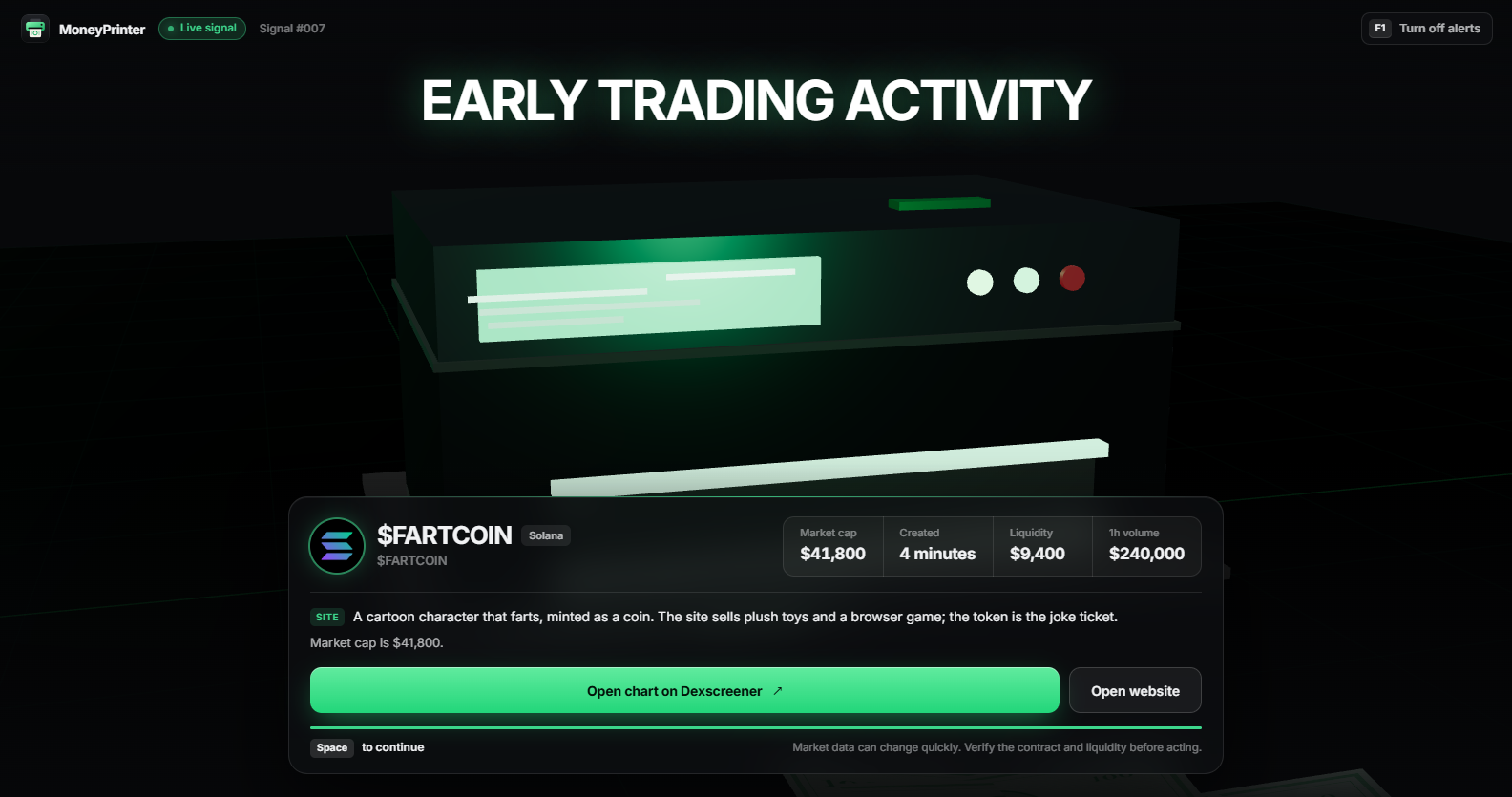
Watch videos, play games, work. The scanner keeps reading new pairs across every chain, screens out fake market caps and wash trading, and ranks what's left.
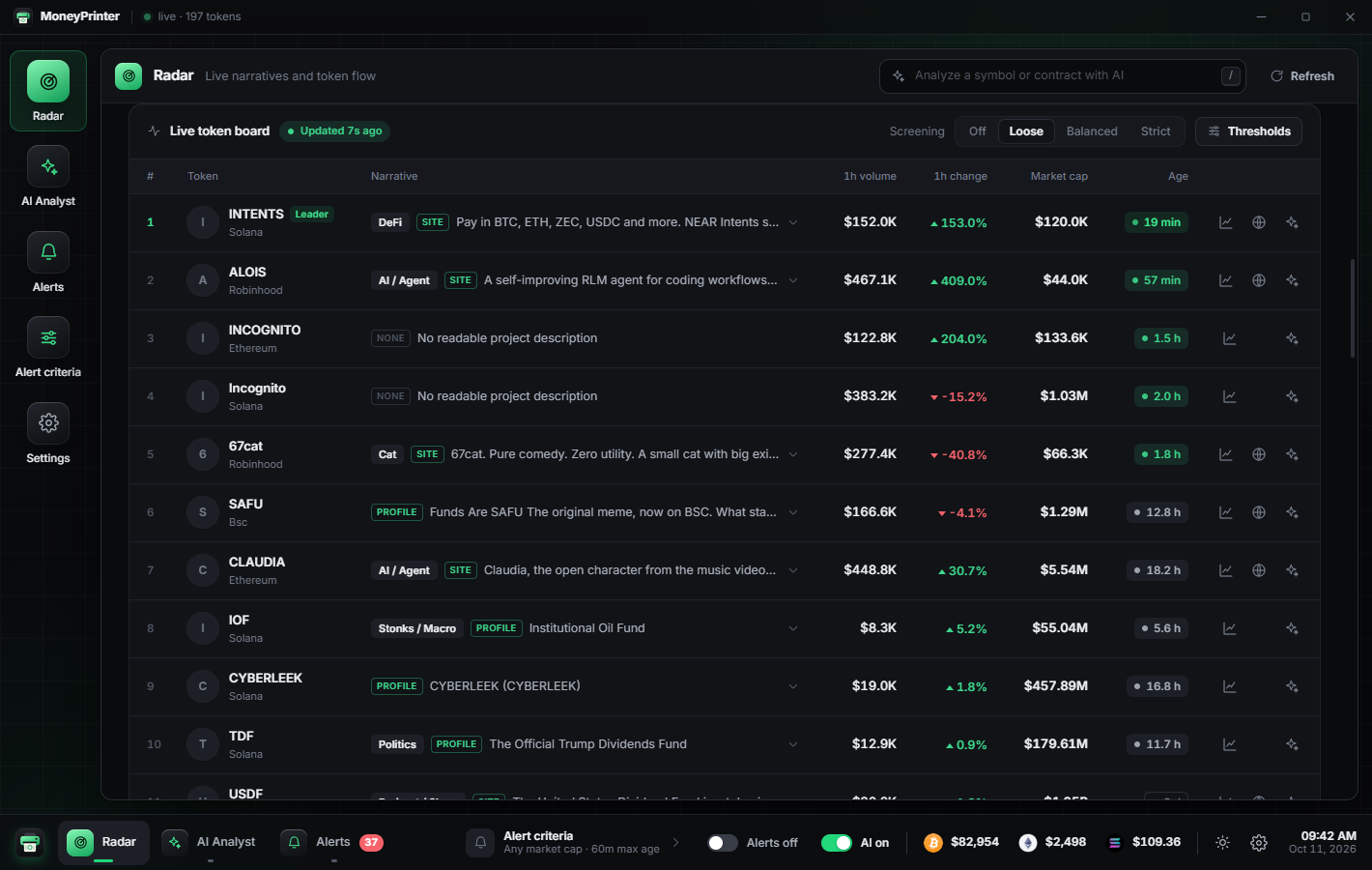
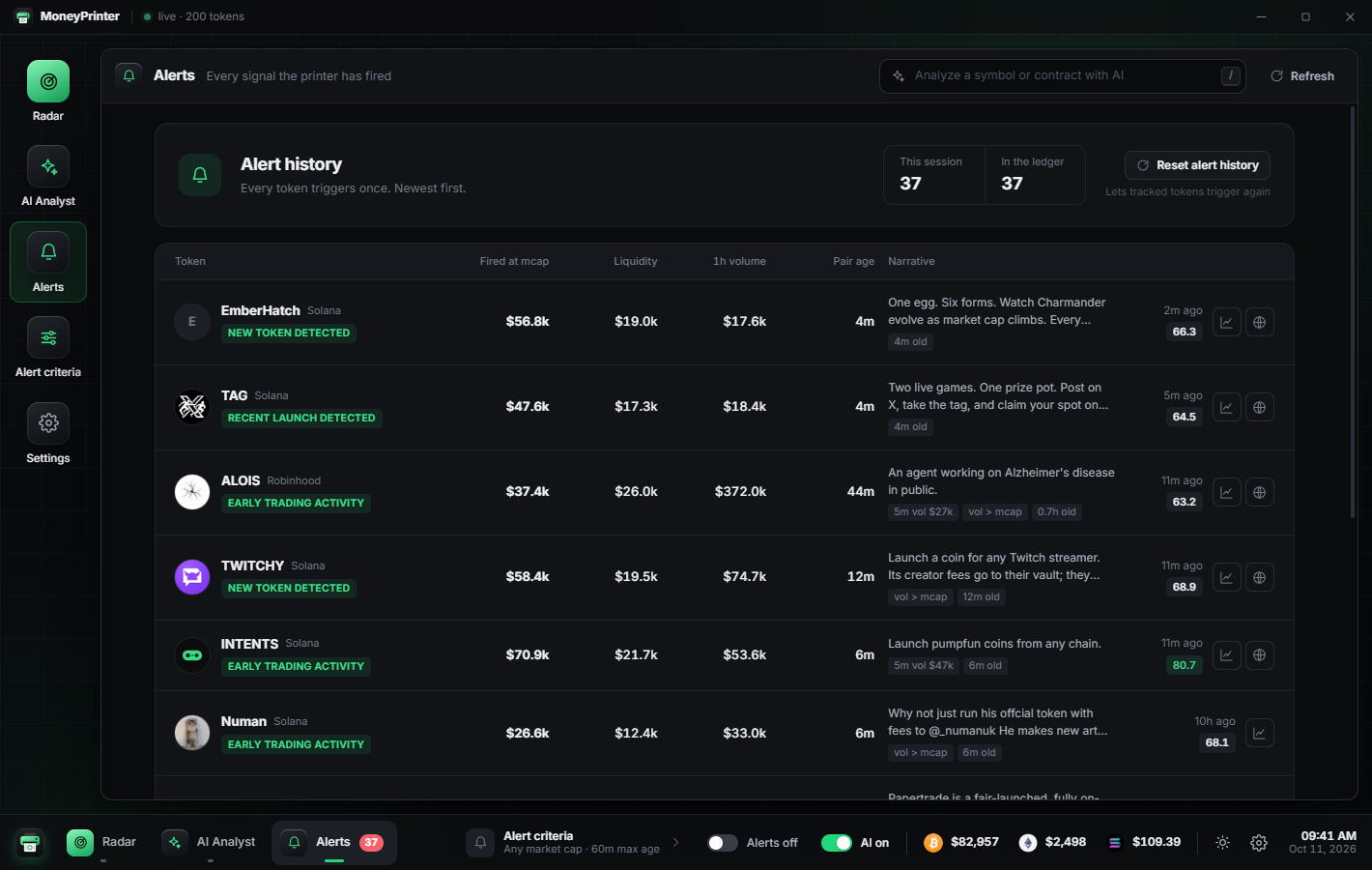
The second a token matches, a full-screen signal takes over every monitor with the numbers, what the project is, and a one-click chart. F1 mutes it instantly.
Only tokens that pass your filters can interrupt you. Every token fires once, every alert is logged, and multi-monitor setups light up on every screen.
Connect a DeepSeek key and the Radar's headline story is written by AI from the projects' own websites and live numbers. You also get market reports, a bear-case review of any token, and answers about the board. One switch turns all AI off to save money.
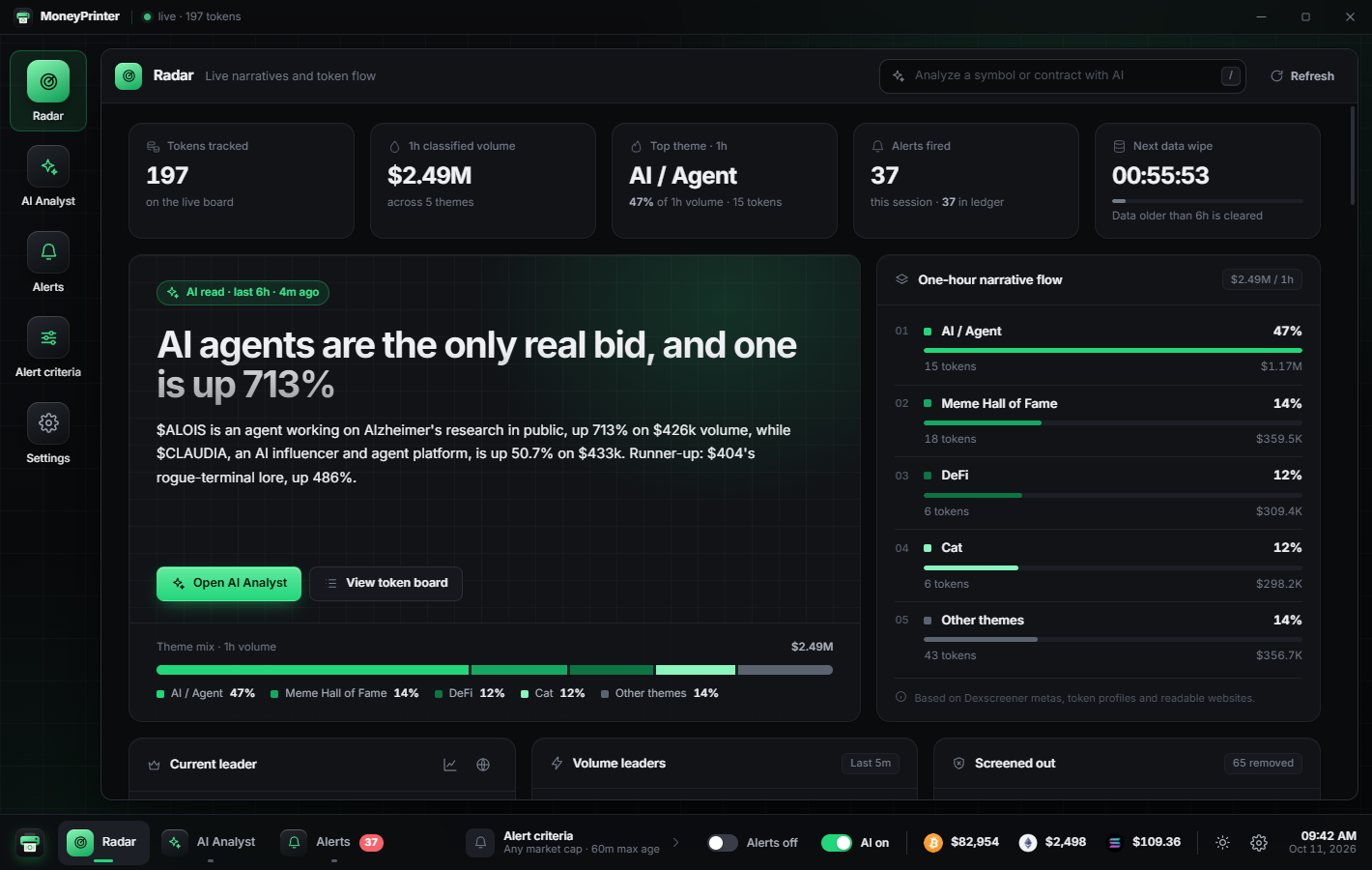
See which stories are pulling volume right now: six-hour story, one-hour theme flow, and the leader of each theme.
Phantom market caps, zero liquidity, supply nobody holds and wash trading get removed before they reach your board.
When a token passes your filters, MoneyPrinter.exe takes over every screen with its market cap, age, liquidity, volume and what the project actually is. One click opens the chart; F1 mutes everything.

Download the Windows installer, choose where to install, and start scanning.
MoneyPrinter ships as a Windows app, but the full source code is free to download. Grab the source code zip, unzip it, open the folder in Claude and ask it to build MoneyPrinter for your system, for example:
Build a native app for my computer from this source code.
It's a standard Electron app, so Claude can install what it needs and package it for macOS or Linux in a few minutes.
MoneyPrinter doesn't have a token. It's built and released for free by the OpenSpawn devs. If you want to support the work, you can buy $SPAWN, the OpenSpawn coin.
No. MoneyPrinter.exe finds and shows tokens. It never touches your wallet, and it never asks for keys or seed phrases.
No. Scanning, screening and alerts all work without one. A DeepSeek key only unlocks the written analysis in the AI Analyst tab, billed by DeepSeek to your own account.
Press F1 on any alert to mute every future alert instantly, or flip the Alerts switch in the app. Tighten your filters and it only fires on what you care about.
All of them. It reads every chain Dexscreener lists — Solana, Robinhood, Ethereum, BSC, Base, Arbitrum and the rest — plus fresh pump.fun launches on Solana, and labels every token with its chain.
Yes, by building it yourself. Download the source code zip, open it in Claude and ask it to build a native app for your system. MoneyPrinter is a standard Electron app, so it builds on macOS and Linux.
No. MoneyPrinter has no token. It's released by the OpenSpawn devs — if you want to support them, you can buy $SPAWN. The contract address is in the section above.
No. It shows you things sooner. Fresh tokens are extremely risky; always check the contract and liquidity yourself.